
 Live Chat

Windows
Installer for Windows 10 and Windows 11. The whole PC uses the tunnel.
Download Setup guideGet the app for your device, sign in, and connect. One account covers the PC, phone, and TV — up to six connections on a paid plan.
WireGuard is the default. OpenVPN UDP, OpenVPN TCP, and Stealth Mode are in the apps. Servers in 57 cities across 39 countries. No connection logs.
Installer for Windows 10 and Windows 11. The whole PC uses the tunnel.
Download Setup guideAPK for phones and tablets. Allow installs from your browser if Android asks.
Download APK Setup guideSame account on the television. Sign in, pick a server, and connect.
Download APK Setup guideSideload the app on Firestick and Fire TV. The guide walks through the install.
Download APK Setup guideThe App Store app is coming soon. The guide shows the current iPhone setup.
iPhone guide Start a free trialProxy extension for Chrome, Firefox, and Brave. It covers that browser’s tabs only.
Get the extension Chrome Web StoreUse the official WireGuard app with a VPN Safe config on Windows or Android.
Windows guide Android guideConfig packs for OpenVPN UDP and OpenVPN TCP. Import them into the OpenVPN app.
UDP configs TCP configs and guideStart the 24-hour trial or choose a paid plan. The same login works on every app above.
Pick the device you are on. Each card has the file and a short setup guide.
Open the app, sign in, and choose Auto (Fastest) or a city. Check the result on What’s My IP.
No payment. The full app, the same servers. Keep the account after if you want.
Six-monthly is 20% off. Yearly is 40% off.
Start Free TrialVPN Safe encrypts your connection, replaces your IP, and runs on the devices you already use — phone, laptop, Android TV, and Firestick. WireGuard for speed, OpenVPN when a network is awkward, Stealth for public Wi-Fi protection.
No connection logs. Unlimited bandwidth. One account for the household. A VPN you pay for, so the product is privacy — not your browsing history.
Leave the VPN on while you watch. WireGuard keeps the tunnel up on your phone, and the Android TV and Firestick apps cover the big screen with the same encrypted connection.
WireGuard is the everyday default: light, quick, and stable on phones. Unlimited bandwidth means you are not metering a commute, a film, or a download.
Websites and advertisers see the server address you picked, not the one your ISP assigned. 57 cities across 39 countries — choose one for privacy on public Wi-Fi or while you travel.
Our VPN servers run entirely in RAM — nothing is written to disk. A reboot wipes the slate clean, so there is nowhere for connection data to linger.
Install the app, sign in, hit Auto (Fastest). No hunting through a server list every time you leave the house — unless you want to pick a city yourself.
We do not keep connection logs. Your traffic is encrypted before it leaves the device, and what you do online is not sitting in our files.
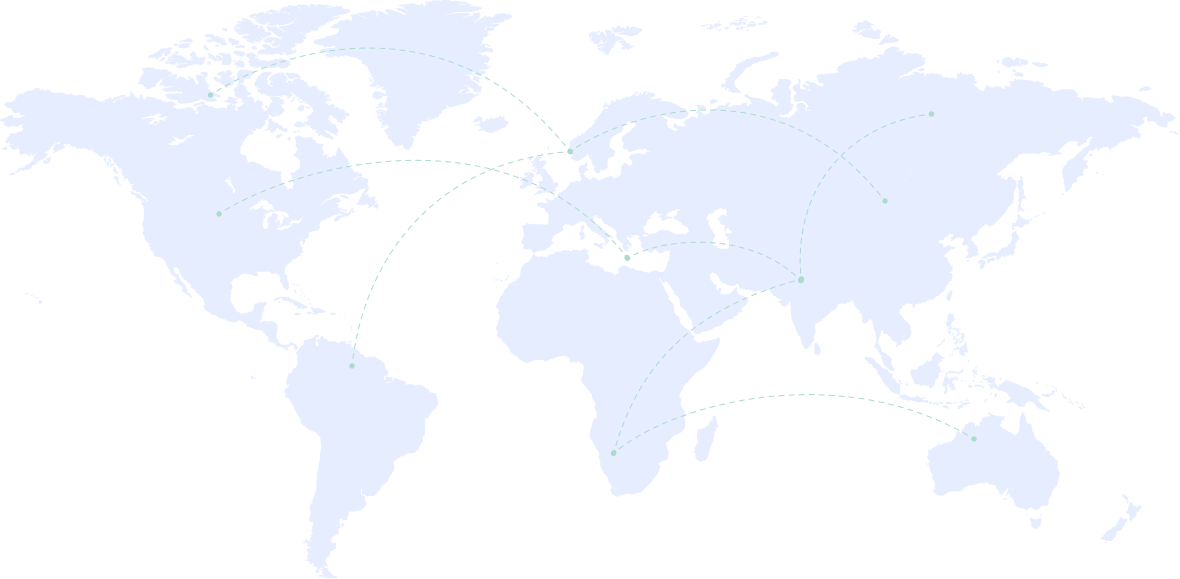
Our network spans 39 countries, so you can choose a nearby city for a short, fast encrypted connection. Same login on every device; the map is just how you choose where your traffic exits.
Hover a pin to see the city name. Every location below is live and ready on your account.






































Straight talk on hotel Wi-Fi, torrents, free VPN risks, and the privacy laws that keep changing — written for people who actually use a VPN day to day.
Three recent posts are below. The full archive — public Wi-Fi, P2P safety, account privacy, and more — lives on the VPN Safe blog.


Stuck on setup, billing, or which protocol to use? Send a message and we will get back to you.
Support is open every day. Include your account email if you already have one — it saves a round trip.
24 hours, every day. Most replies land within a few hours.
App setup, OpenVPN, WireGuard, Stealth Mode, billing, and account access.