Pricing

Pick a plan that fits

Same app, same RAM-only servers, same Stealth Mode on every plan. Six devices at once. No logs.

Start with a free 24-hour trial. Pay monthly for flexibility. Six-monthly saves 20%. Yearly saves 40%.

All plans include
6 connections
57 cities
RAM only · WireGuard · OpenVPN · Stealth
01 No payment

Free Trial

£0 / 24 hours

Full app, same servers. No payment needed to try.

  • Instant activation
  • 57 cities worldwide
  • 6 connections
  • Unlimited bandwidth
  • No logs
  • RAM-only servers
  • WireGuard & OpenVPN
  • Stealth Mode
  • Geo content
  • P2P friendly
  • IPTV friendly
02 Flexible

Monthly

£5 / month

Month to month. Cancel when you want.

  • Instant activation
  • 57 cities worldwide
  • 6 connections
  • Unlimited bandwidth
  • No logs
  • RAM-only servers
  • WireGuard & OpenVPN
  • Stealth Mode
  • Geo content
  • P2P friendly
  • IPTV friendly
03 Save 20%

Six-Monthly

£24 / 6 months

Best middle ground. Same features, lower monthly cost.

  • Instant activation
  • 57 cities worldwide
  • 6 connections
  • Unlimited bandwidth
  • No logs
  • RAM-only servers
  • WireGuard & OpenVPN
  • Stealth Mode
  • Geo content
  • P2P friendly
  • IPTV friendly
04 Save 40%

Yearly

£36 / year

Lowest price if you already know you will stay.

  • Instant activation
  • 57 cities worldwide
  • 6 connections
  • Unlimited bandwidth
  • No logs
  • RAM-only servers
  • WireGuard & OpenVPN
  • Stealth Mode
  • Geo content
  • P2P friendly
  • IPTV friendly
Android

Android VPN app

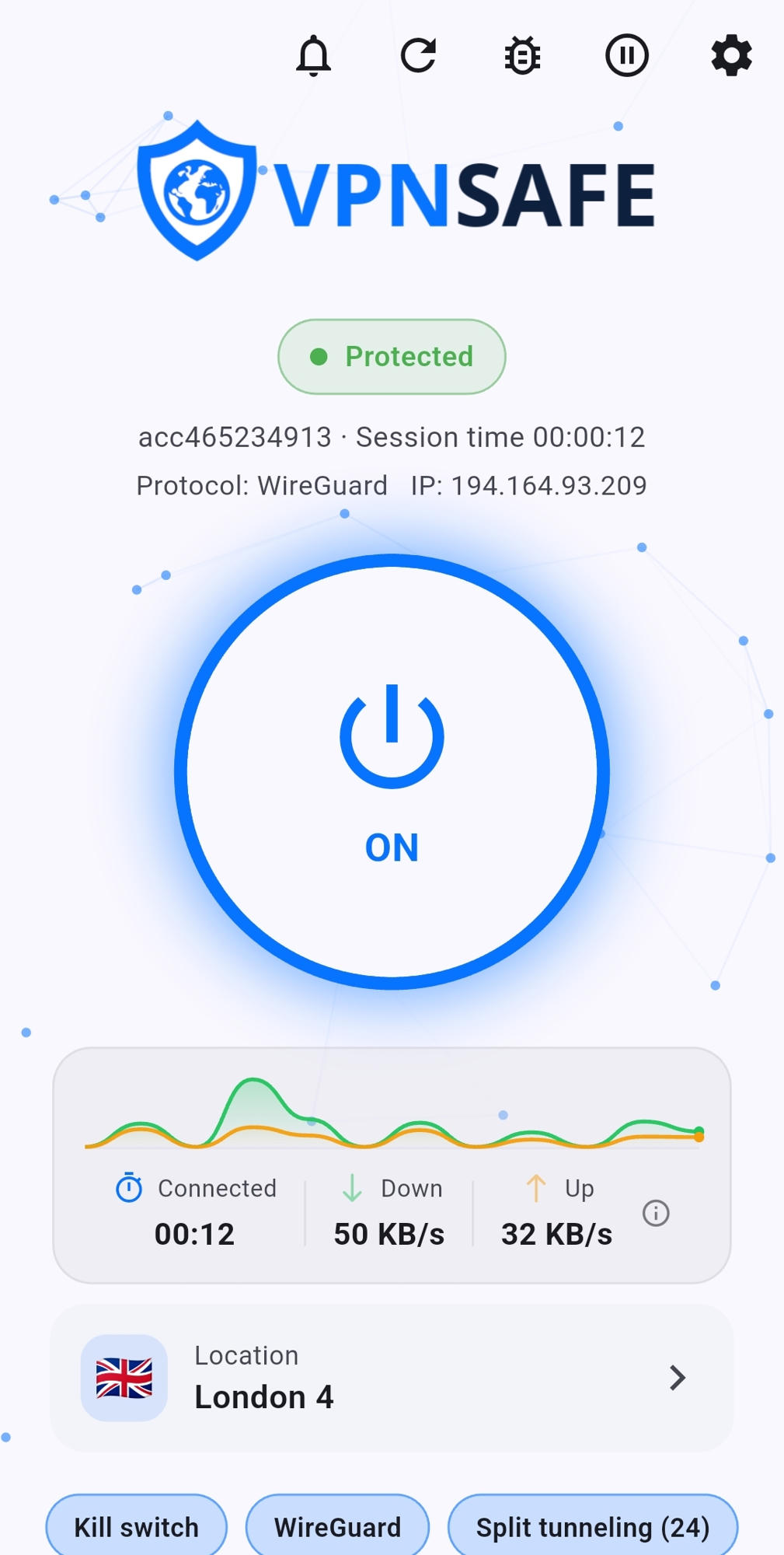
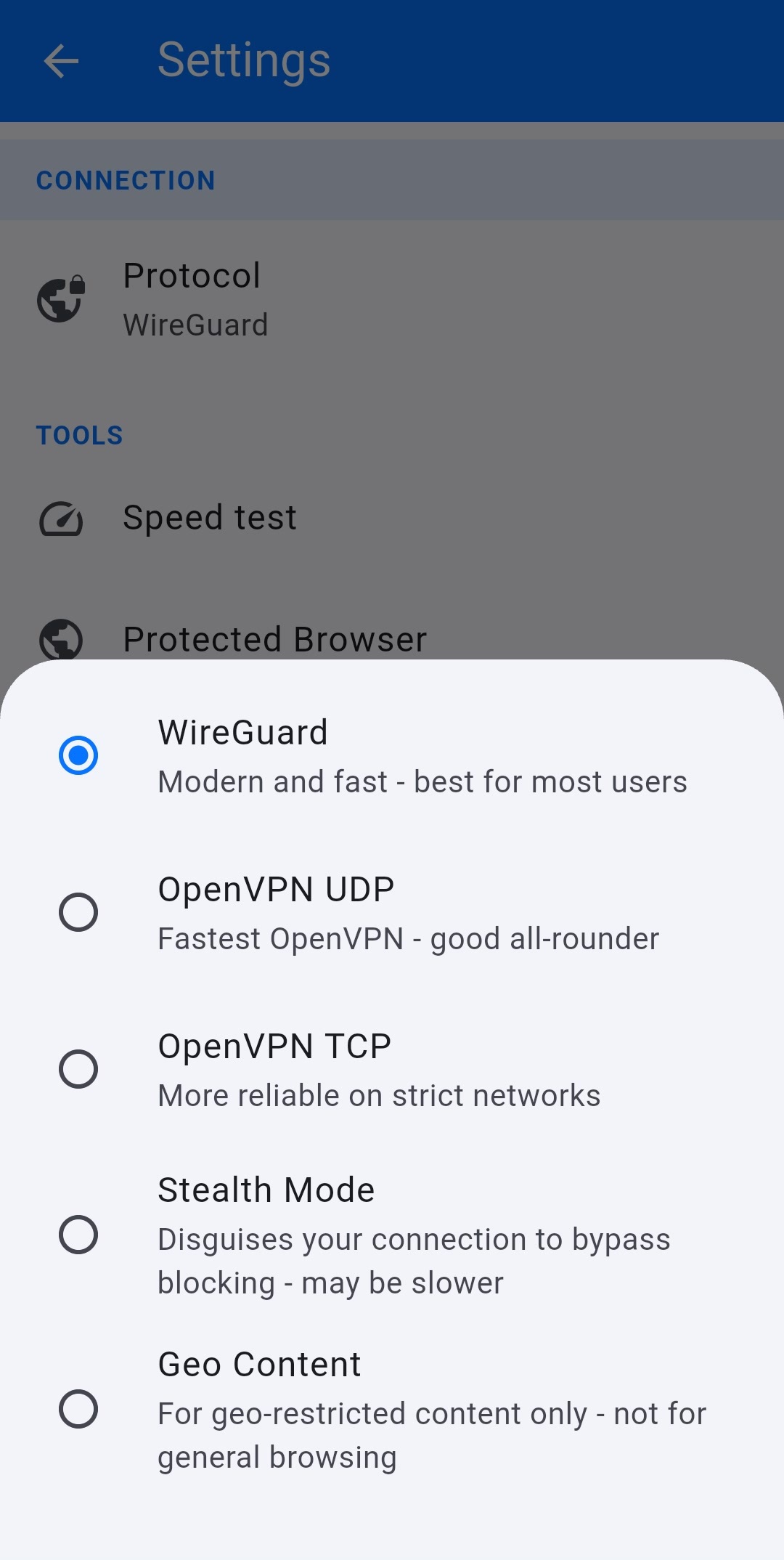
Install VPN Safe on your phone or tablet, sign in, and tap Auto (Fastest). WireGuard keeps the tunnel light on mobile data; OpenVPN and Stealth are there when a network is awkward.

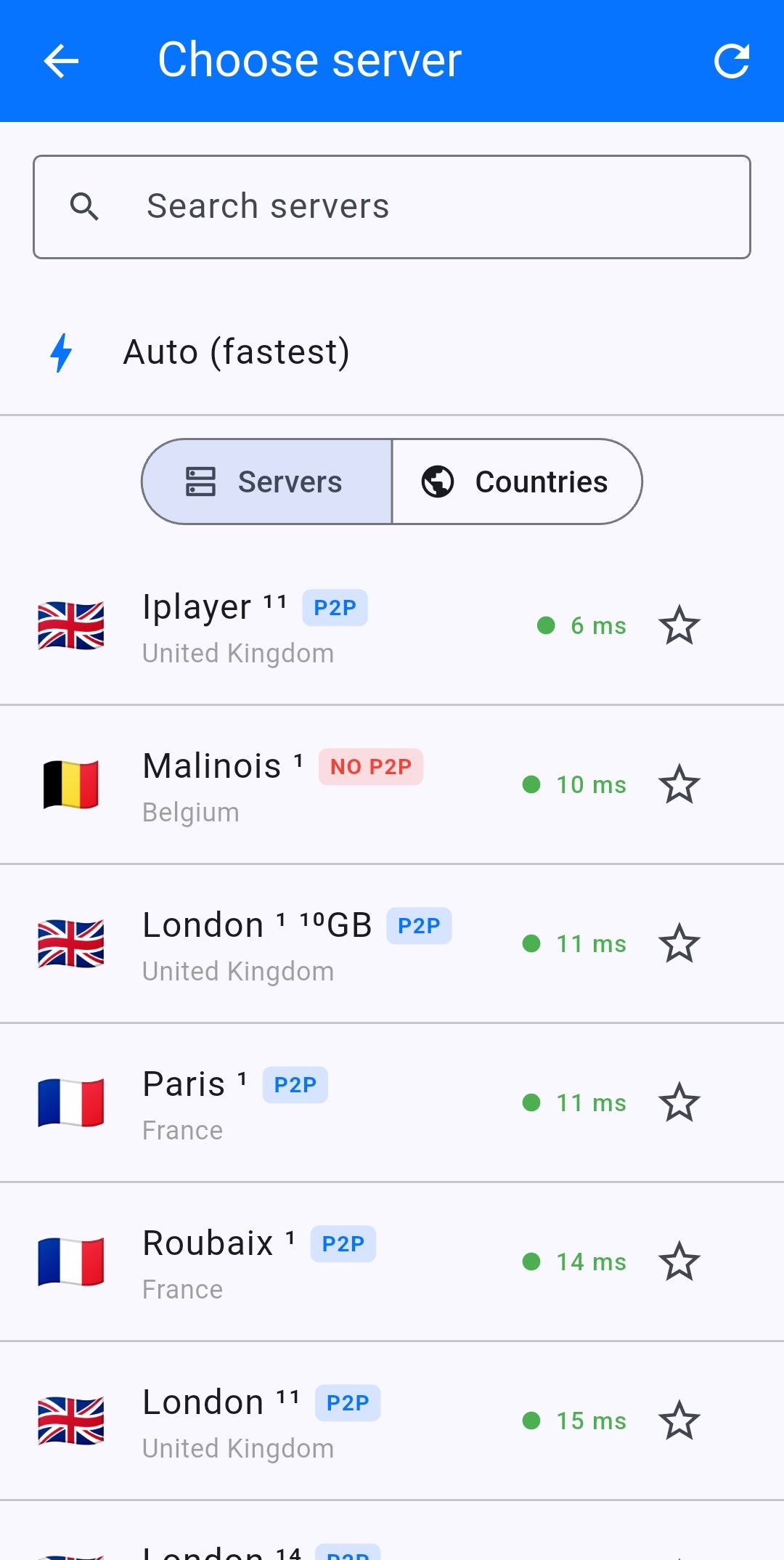
Pick a city when you need a specific region, or leave Auto on for everyday browsing, banking, and streaming on the go.

On Android WireGuard · Auto (Fastest) · One tap OpenVPN · Stealth · Same login as TV
01 VPN Safe Android app home screen
02 VPN Safe Android app server list
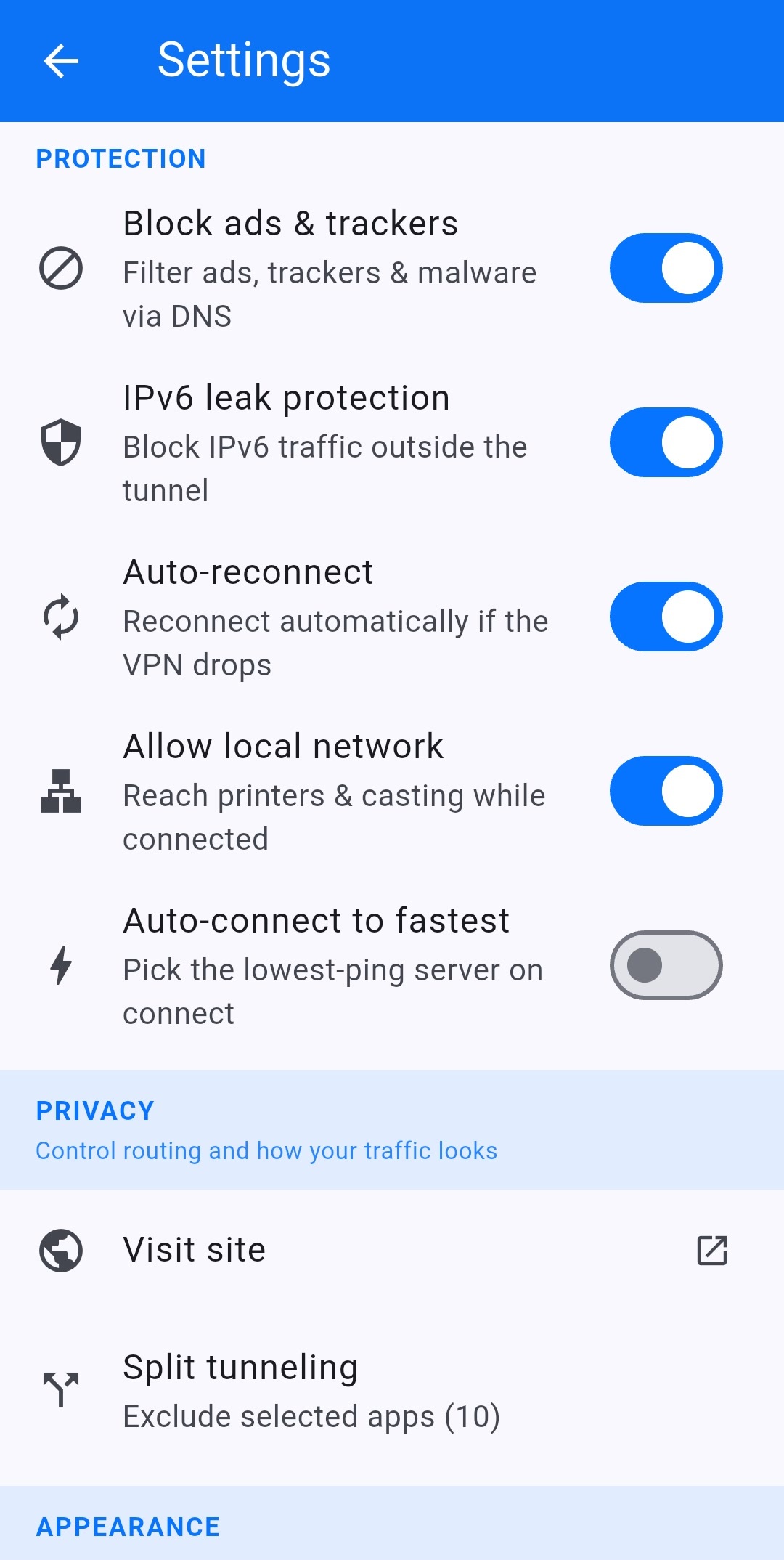
03 VPN Safe Android app settings
04 VPN Safe Android app protocol picker
Stealth Mode

How Stealth Mode works

The app wraps OpenVPN TCP inside an HTTP CONNECT proxy so strict networks mostly see ordinary web traffic.

A normal VPN encrypts your data, but firewalls can still spot the protocol. Obfuscation hides that fingerprint so the connection looks like everyday web browsing. How Stealth Mode works

What the network sees TCP · Port 8001 · HTTP CONNECT Not WireGuard · Not OpenVPN UDP
01 App setting

Force OpenVPN TCP

The app locks the protocol to OpenVPN over TCP. UDP is left off — it is too easy for DPI to fingerprint and drop.

02 Plain TCP

Open TCP port 8001

A plain TCP socket is opened to the VPN server on port 8001. Squid is listening there — not the OpenVPN daemon yet.

03 Before TLS

HTTP CONNECT + auth

Sends an HTTP CONNECT request with the account username and password as Basic auth. Still cleartext — encryption has not started.

CONNECT server:port HTTP/1.1
04 HTTP 200

Squid answers 200

Squid returns 200 Connection established and becomes a dumb pipe. From here it just forwards bytes to the OpenVPN daemon.

05 TLS tunnel

OpenVPN TLS inside

OpenVPN runs its normal TLS handshake inside that pipe and builds the encrypted tunnel. The wrapper is finished.

06 Encrypted

Device traffic rides it

Apps on the device send traffic through the tunnel as usual. To the network in front of you it still looks like a web-style TCP session.

  1. 1 CONNECT + Basic auth
  2. 2 Squid returns HTTP 200
  3. 3 OpenVPN TLS inside the pipe
Why VPN Safe

Built for everyday privacy

VPN Safe encrypts your connection, replaces your IP, and runs on the devices you already use — phone, laptop, Android TV, and Firestick. WireGuard for speed, OpenVPN when a network is awkward, Stealth when something is blocking VPNs.

No connection logs. Unlimited bandwidth. One account for the household. A VPN you pay for, so the product is privacy — not your browsing history.

What you get No logs · WireGuard · 6 Devices 57 cities · Unlimited bandwidth · 24/7 support

01 Watch

Streaming that keeps up

Connect to a UK server and keep BBC iPlayer, Netflix, and Prime Video in the picture — on the phone or on the big screen with our Android TV and Firestick apps.

02 Speed

Fast enough to leave on

WireGuard is the everyday default: light, quick, and stable on phones. Unlimited bandwidth means you are not metering a commute, a film, or a download.

03 Identity

An IP you choose

Websites and advertisers see the server location you picked, not the one your ISP assigned. 57 cities across 39 countries — pick for privacy, streaming, or travel.

04 Privacy

RAM only

Our VPN servers run entirely in RAM — nothing is written to disk. A reboot wipes the slate clean, so there is nowhere for connection data to linger.

05 Simple

Connect in one tap

Install the app, sign in, hit Auto (Fastest). No hunting through a server list every time you leave the house — unless you want to pick a city yourself.

06 Privacy

No logs policy

We do not keep connection logs. Your traffic is encrypted before it leaves the device, and what you do online is not sitting in our files.

Locations

57 cities. Pick the one that fits.

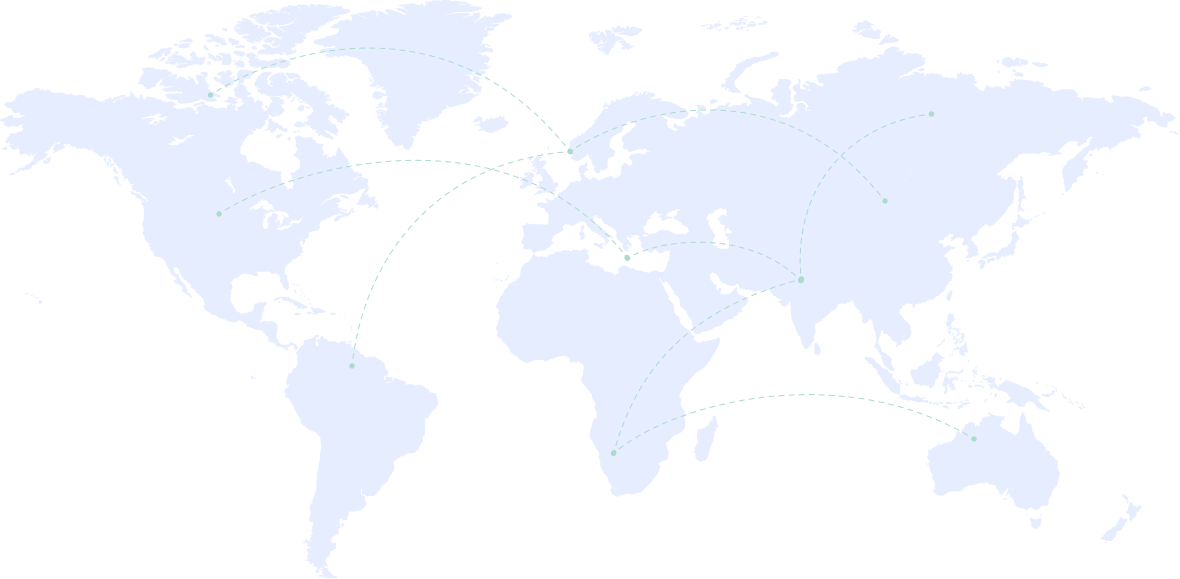
Our network spans 39 countries, so you can choose a nearby city for a short, fast path — or hop to another region when you need a different IP. Streaming UK catch-up? Connect to a UK server. Travelling and want home-country access? Pick that city instead. Same login on every device; the map is just how you choose where your traffic exits.

Hover a pin to see the city name. Every location below is live and ready on your account.

Coverage
57 cities
39 countries
Hover a pin for the city
VPN Safe data centers around the world
  • Australia
    Sydney Australia
  • Belgium
    Brussels Belgium
  • Belgium
    Malinois Belgium
  • Brazil
    Sao Paulo Brazil
  • Bulgaria
    Sofia Bulgaria
  • Canada
    Vancouver Canada
  • Canada
    Toronto Canada
  • Canada
    Beauharnois Canada
  • Canada
    Quebec Canada
  • Colombia
    Bogota Colombia
  • Cyprus
    Limassol Cyprus
  • Czech Republic
    Prague Czech Republic
  • Denmark
    Copenhagen Denmark
  • Estonia
    Tallinn Estonia
  • Finland
    Helsinki Finland
  • France
    Paris France
  • France
    Roubaix France
  • Germany
    Frankfurt Germany
  • Germany
    Nuremberg Germany
  • Germany
    Falkenstein Germany
  • Germany
    Falkenberg Germany
  • Greece
    Athens Greece
  • India
    Mumbai India
  • Ireland
    Dublin Ireland
  • Israel
    Tel Aviv Israel
  • Italy
    Milan Italy
  • Italy
    Arezzo Italy
  • Japan
    Tokyo Japan
  • Netherlands
    Amsterdam Netherlands
  • Netherlands
    Dronten Netherlands
  • Nigeria
    Lagos Nigeria
  • Norway
    Oslo Norway
  • Poland
    Gdansk Poland
  • Poland
    Warsaw Poland
  • Portugal
    Lisbon Portugal
  • Romania
    Bucharest Romania
  • Russia
    Moscow Russia
  • Saudi Arabia
    Riyadh Saudi Arabia
  • Singapore
    Singapore Singapore
  • South Africa
    Johannesburg South Africa
  • South Korea
    Seoul South Korea
  • Spain
    Madrid Spain
  • Sweden
    Stockholm Sweden
  • Switzerland
    Geneva Switzerland
  • Switzerland
    Zurich Switzerland
  • Thailand
    Bangkok Thailand
  • Turkey
    Istanbul Turkey
  • Ukraine
    Kharkiv Ukraine
  • United Arab Emirates
    Dubai United Arab Emirates
  • United Kingdom
    London United Kingdom
  • United Kingdom
    Manchester United Kingdom
  • United States
    Los Angeles United States
  • United States
    Texas United States
  • United States
    Miami United States
  • United States
    Ashburn United States
  • United States
    New York United States
  • United States
    Secaucus United States
Blog

From the VPN Safe blog

Straight talk on streaming abroad, hotel Wi-Fi, torrents, free VPN risks, and the privacy laws that keep changing — written for people who actually use a VPN day to day.

Three recent posts are below. The full archive — Prime Video libraries, P2P safety, age-check rules, and more — lives on the VPN Safe blog.

On the blog Privacy · Streaming · Security Guides · VPN News · Privacy
Contact

Get in touch

Stuck on setup, billing, or which protocol to use? Send a message and we will get back to you.

Support is open every day. Include your account email if you already have one — it saves a round trip.

Hours

24 hours, every day. Most replies land within a few hours.

What we can help with

App setup, OpenVPN, WireGuard, Stealth Mode, billing, and account access.

Send a message